The Problem
Self-Service Password Reset (SSPR) was configured and working for most devices in the environment. However, on a specific set of Windows 10 workstations, the “Reset password” link was completely absent from the lock screen — even though the correct Intune/GPO configuration was in place. The issue lingered for over a year with Microsoft support unable to resolve it.
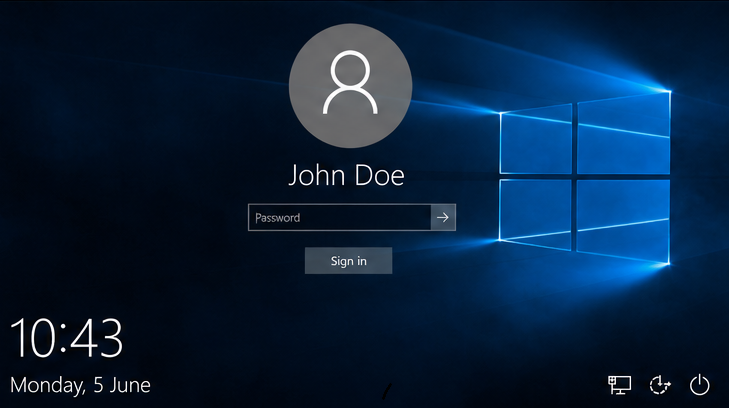 Lock screen with SSPR missing — no “Reset password” link visible
Eliminating the Obvious
Before going deep, the usual suspects were ruled out:
- Registry key — the primary SSPR registry key was present on both working and non-working devices, so this wasn’t the cause
- Azure AD Connect — ruled out because if password sync was broken, no users could reset passwords, not just some
- OS build — all affected and unaffected devices were on the same Windows 10 build
- User-related issue — SSPR failed to appear even before any user logged in, confirming this was a device-level problem
The Breakthrough
An affected device was moved to a clean OU with inheritance disabled. GPO-applied settings were removed via PowerShell, and the SSPR registry key was added manually. After reboot — SSPR appeared on the lock screen immediately.
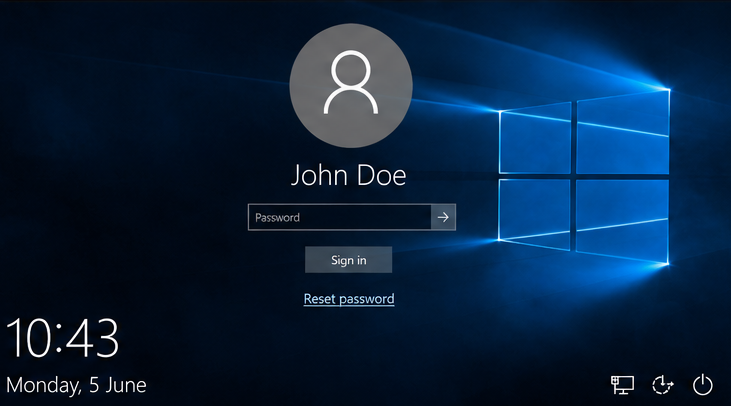 Lock screen with SSPR working — “Reset password” link visible
Conclusion: something in the GPO stack was blocking it.
The Culprit — Three Settings Inside One Security Hardening GPO
Reviewing Microsoft documentation revealed several limitations for SSPR on the lock screen. Cross-referencing those against the environment GPO settings identified three specific settings inside a single security hardening GPO — each one setting a registry key that silently blocked SSPR.
Setting 1 — Interactive logon: Don’t display last signed-in
This policy when set to Enabled prevents the last signed-in username from appearing on the lock screen — and as a side effect, blocks SSPR from rendering.
Registry key: HKLM\SOFTWARE\Microsoft\Windows\CurrentVersion\Policies\System\dontdisplaylastusername
Problematic value: 1
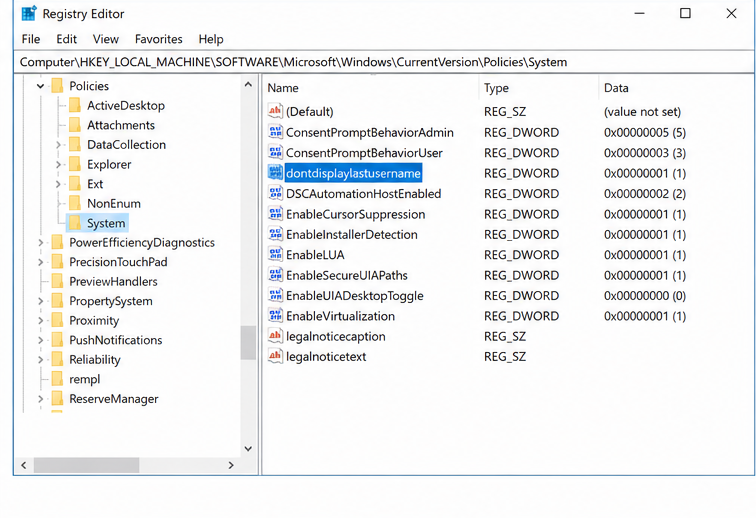 Registry Editor showing dontdisplaylastusername set to 1
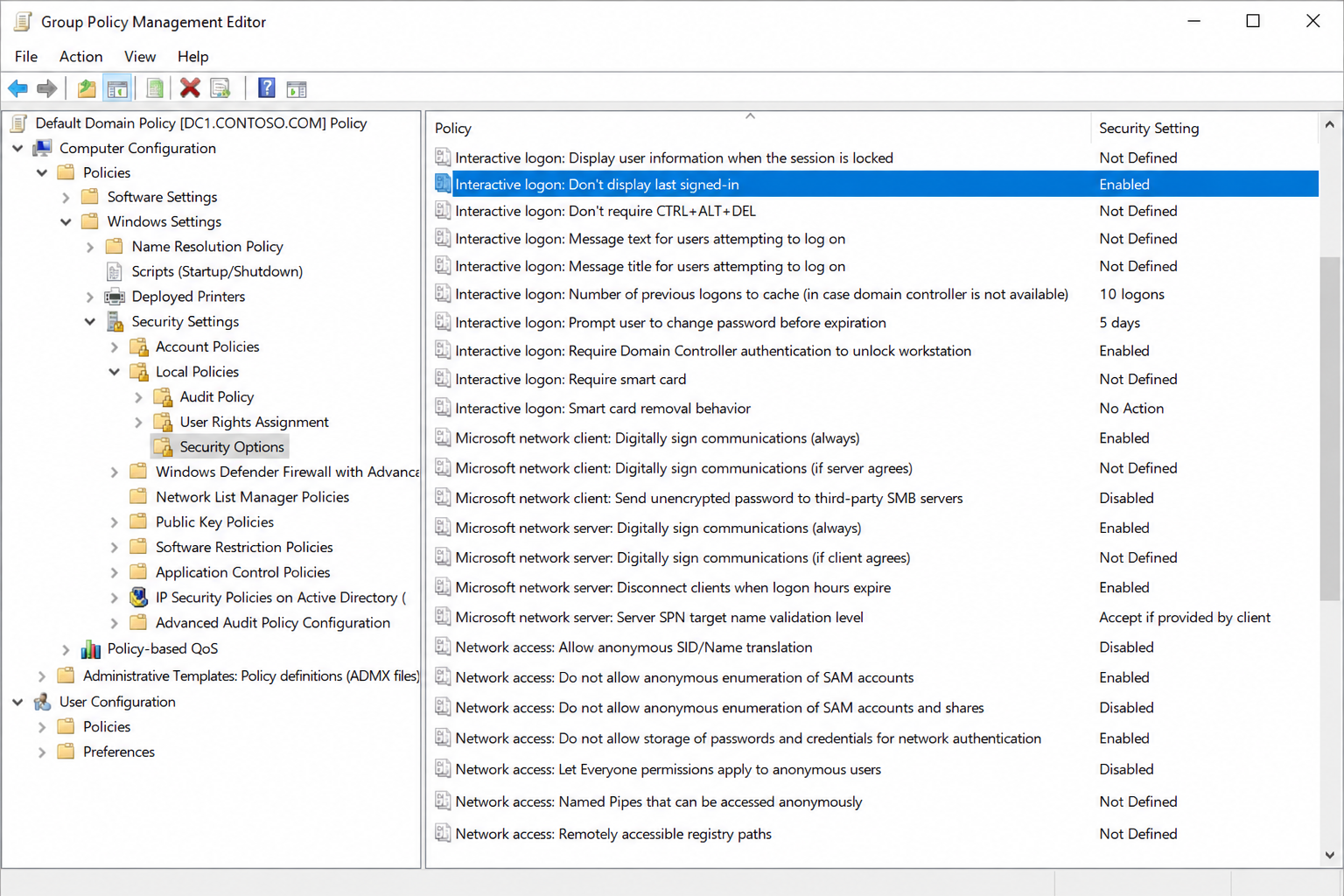 Group Policy Management Editor — Interactive logon: Don’t display last signed-in set to Enabled
Setting 2 — Interactive logon: Do not require CTRL+ALT+DEL
This policy when set to Disabled enforces the CTRL+ALT+DEL requirement before sign-in — which conflicts with the SSPR lock screen integration.
Registry key: HKLM\SOFTWARE\Microsoft\Windows\CurrentVersion\Policies\System\DisableCAD
Problematic value: 1
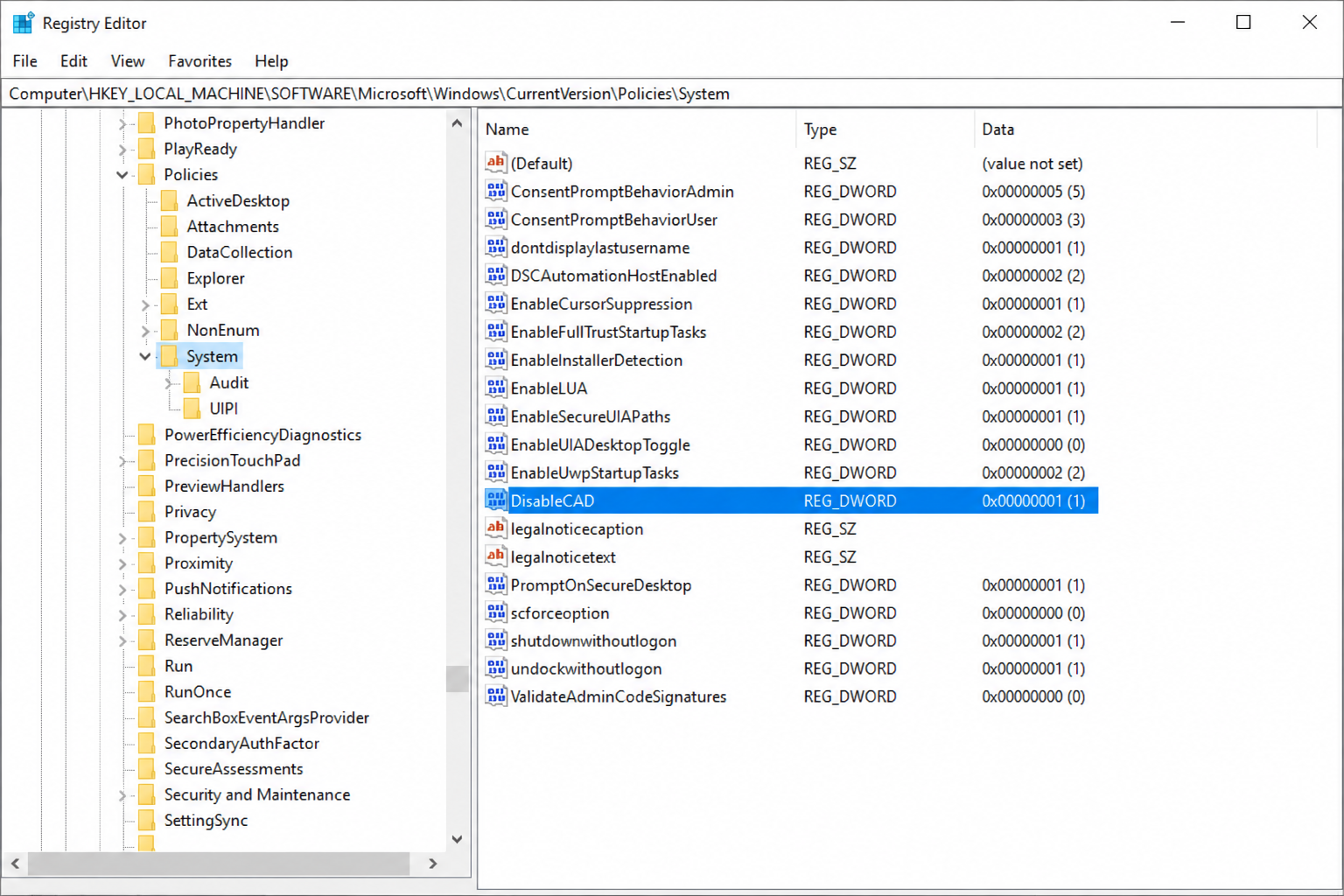 Registry Editor showing DisableCAD set to 1
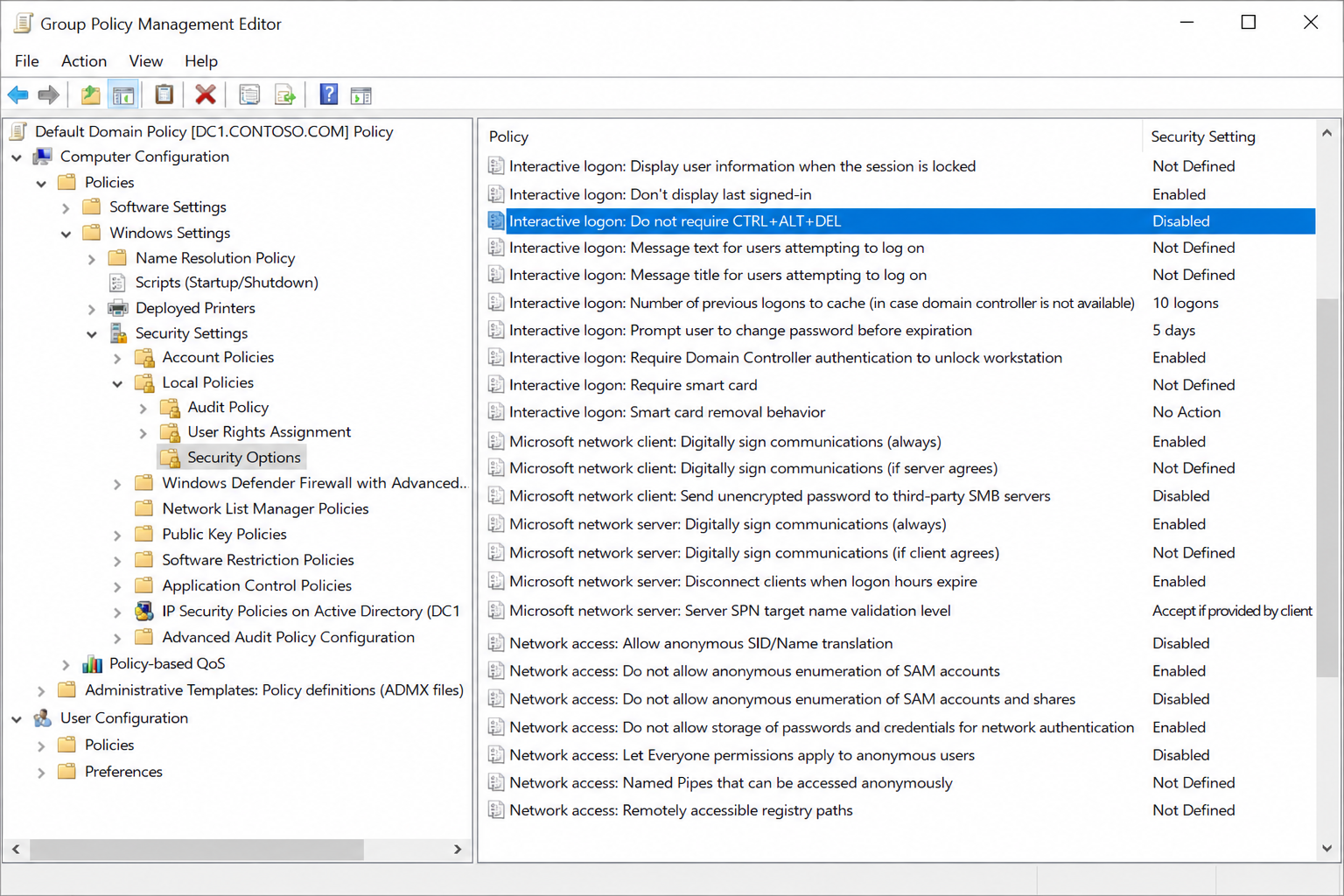 Group Policy Management Editor — Interactive logon: Do not require CTRL+ALT+DEL set to Disabled
Setting 3 — Turn off app notifications on lock screen
This policy when set to Disabled suppresses app notifications on the lock screen — which also suppresses the SSPR link from appearing.
Registry key: HKLM\Software\Policies\Microsoft\Windows\System\DisableLockScreenAppNotifications
Problematic value: 0
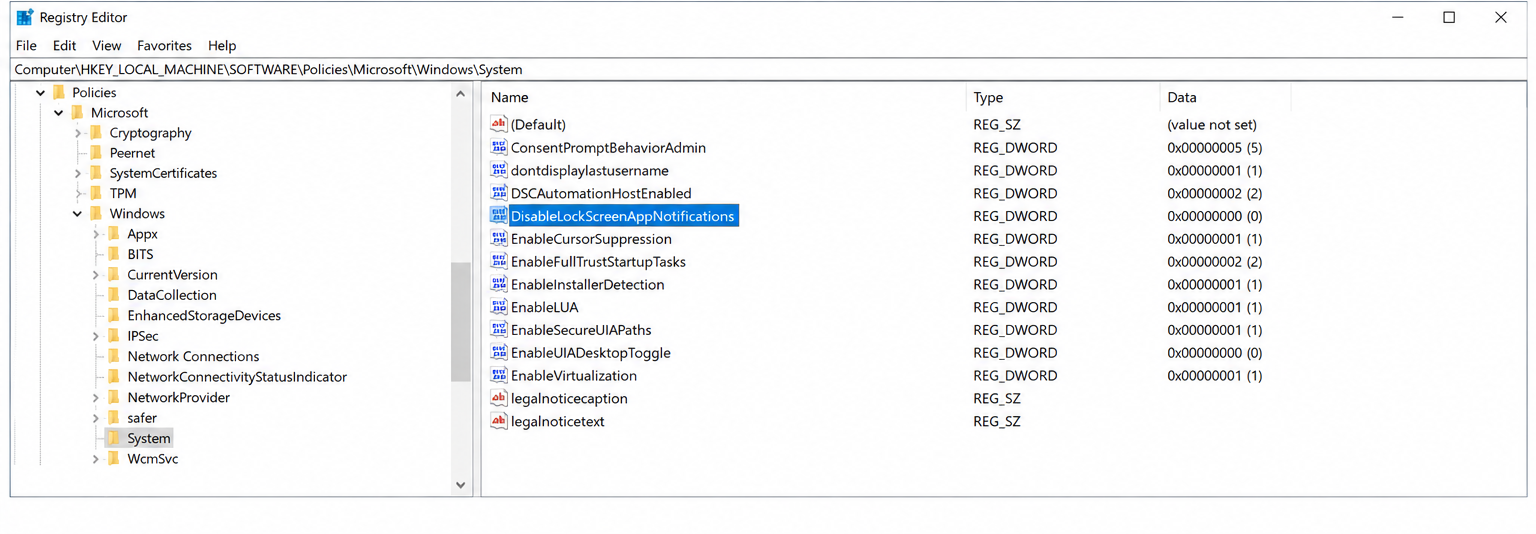 Registry Editor showing DisableLockScreenAppNotifications
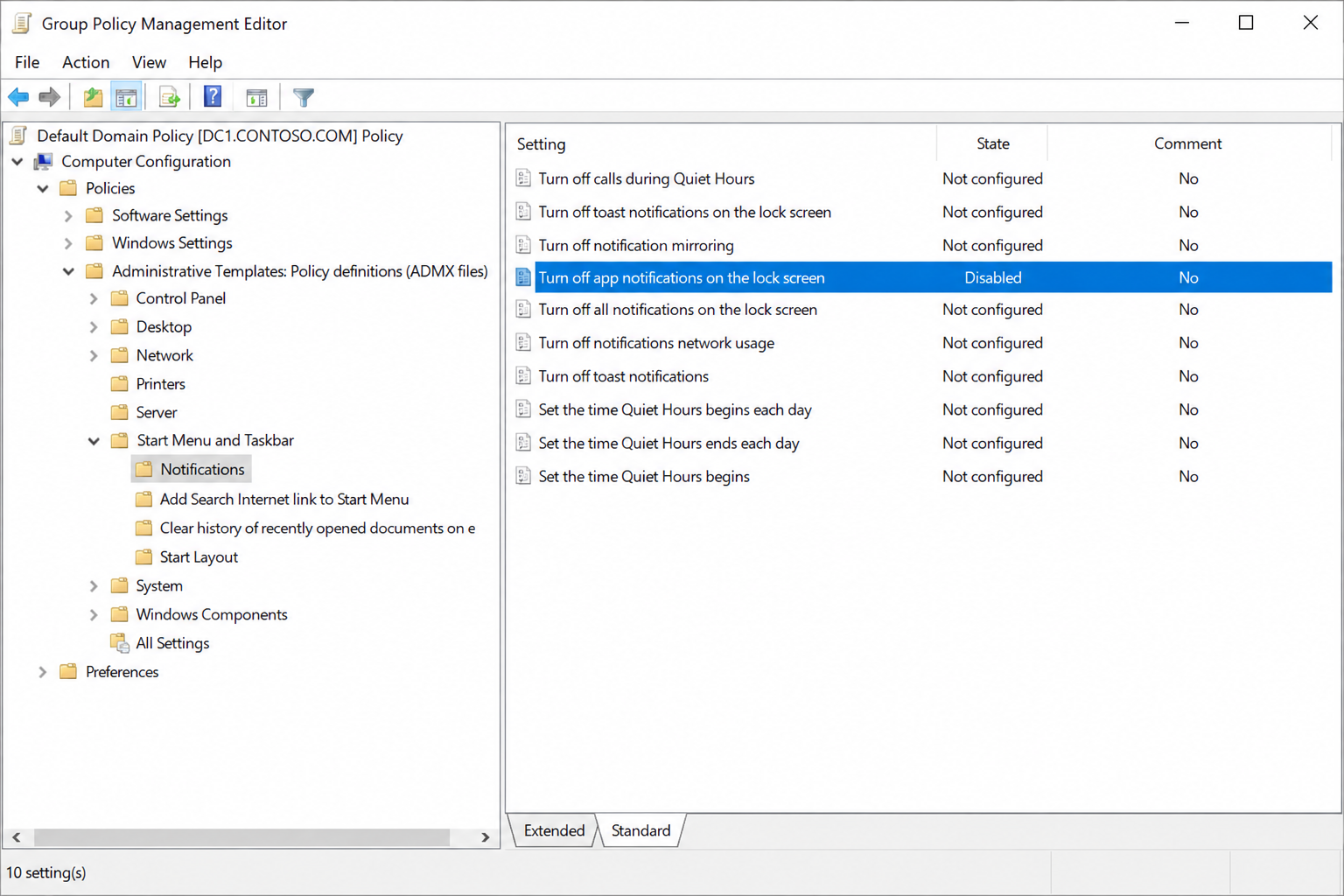 Group Policy Management Editor — Turn off app notifications on lock screen set to Disabled
The Fix
A new GPO with higher precedence was created containing only the three conflicting settings with the correct values. After applying to test devices, SSPR appeared on the lock screen with no issues. The fix was then rolled out to all affected devices.
The two Security Options settings were corrected as follows:
- Interactive logon: Don’t display last signed-in set to Disabled
- Interactive logon: Do not require CTRL+ALT+DEL set to Enabled
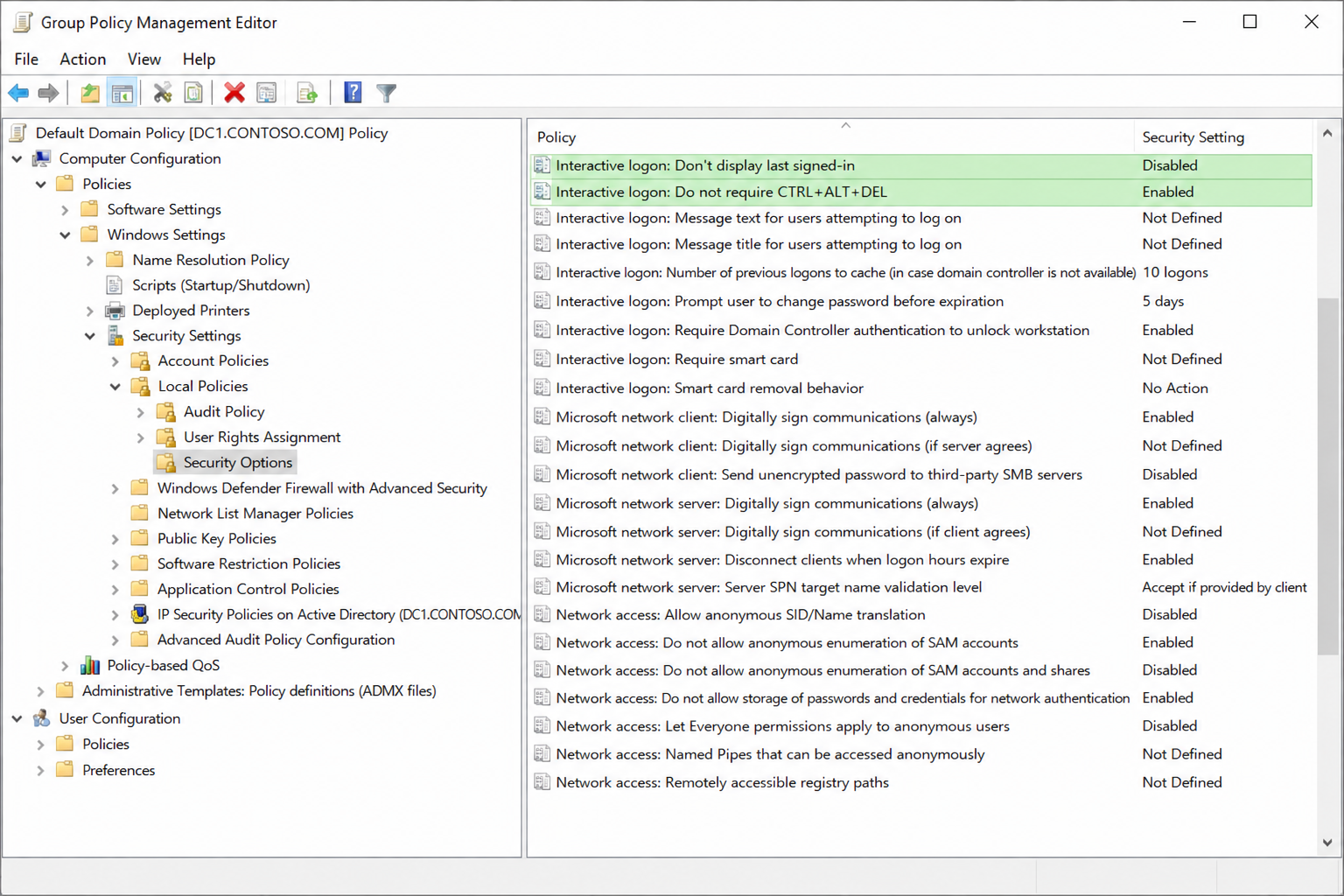 Corrected Security Options settings in the new GPO
The notification setting was corrected as follows:
- Turn off app notifications on the lock screen set to Enabled
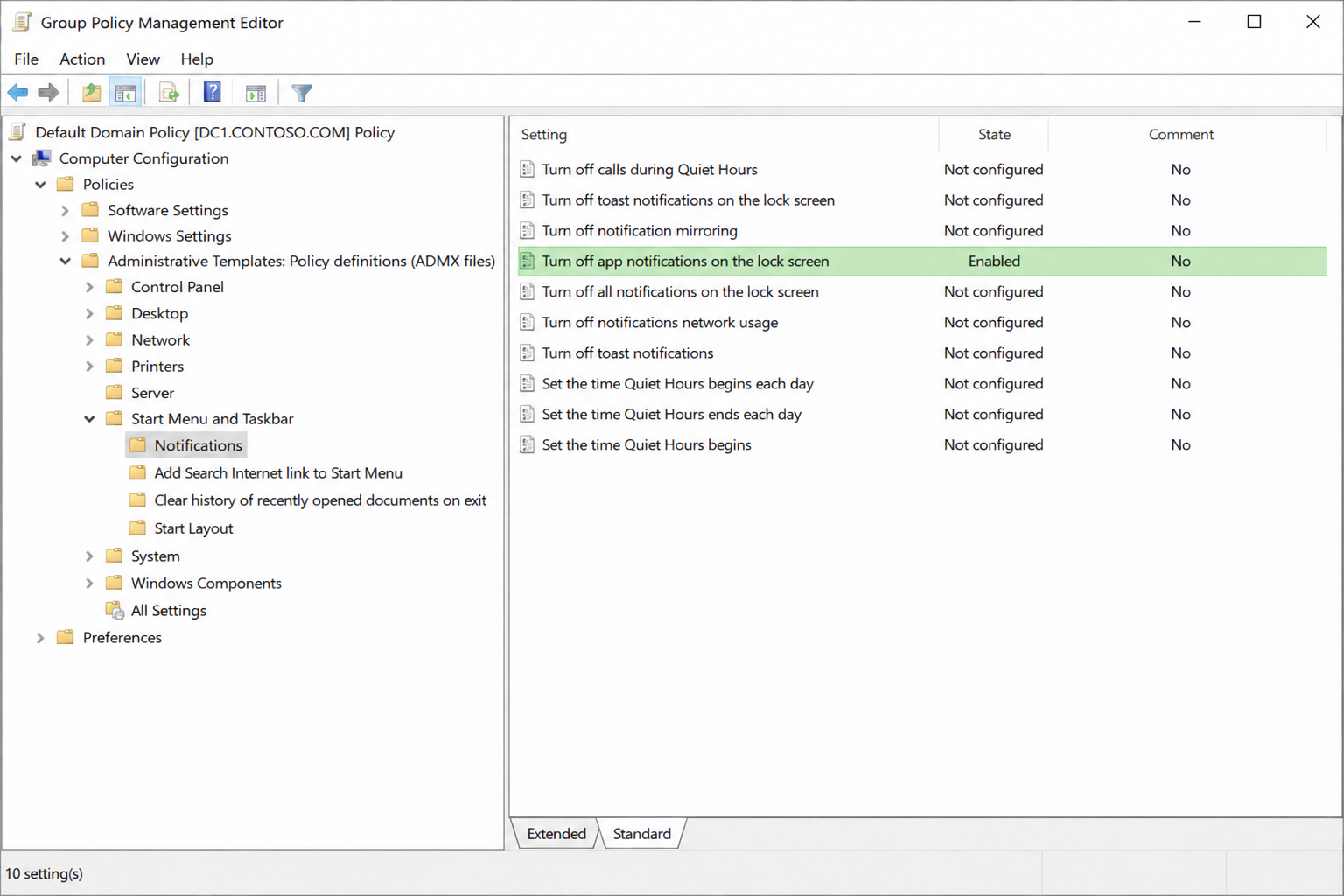 Corrected app notifications setting in the new GPO
Key Takeaway
When SSPR isn’t showing on the lock screen, the registry key everyone checks first is rarely the problem. Security hardening baselines silently block SSPR through settings that appear completely unrelated to password reset. Always cross-reference your hardening baseline against Microsoft’s SSPR prerequisites.