The Problem
Existing hybrid Azure AD-joined, co-managed Windows devices were failing when wiped and re-enrolled through Windows Autopilot. Brand-new devices completed Autopilot without issue every time — the failure was specific to devices with a prior enrollment history.
The failure pattern was consistent:
- Device is wiped and boots into Autopilot OOBE
- Device setup phase (ESP) proceeds normally
- During ESP, a shutdown notification unexpectedly appears
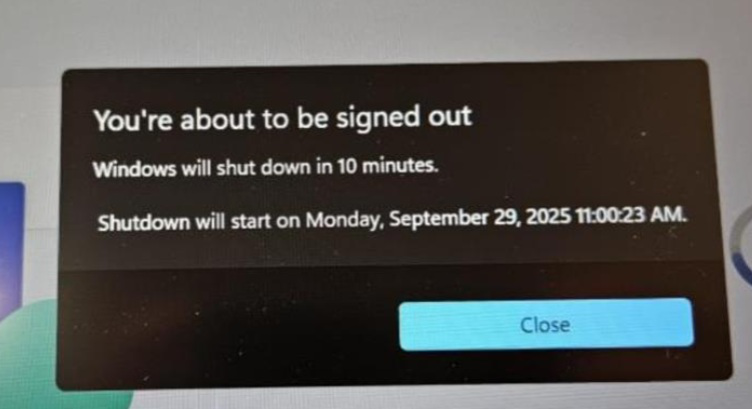 Shutdown notification appearing mid-ESP — this should not happen during normal Autopilot provisioning
- Device reboots and returns to the OOBE sign-in screen as if starting Autopilot from scratch
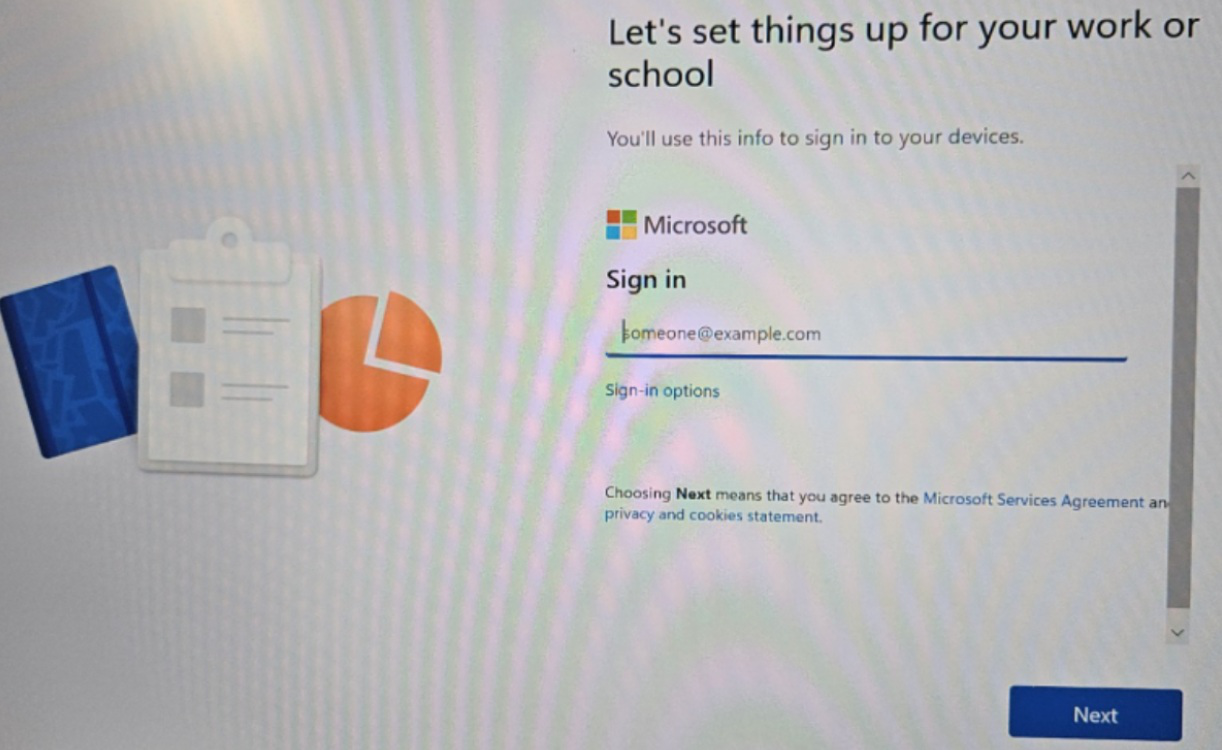 After the reboot, the device presents the Autopilot sign-in screen again
- User enters credentials and receives the Device Already Enrolled error
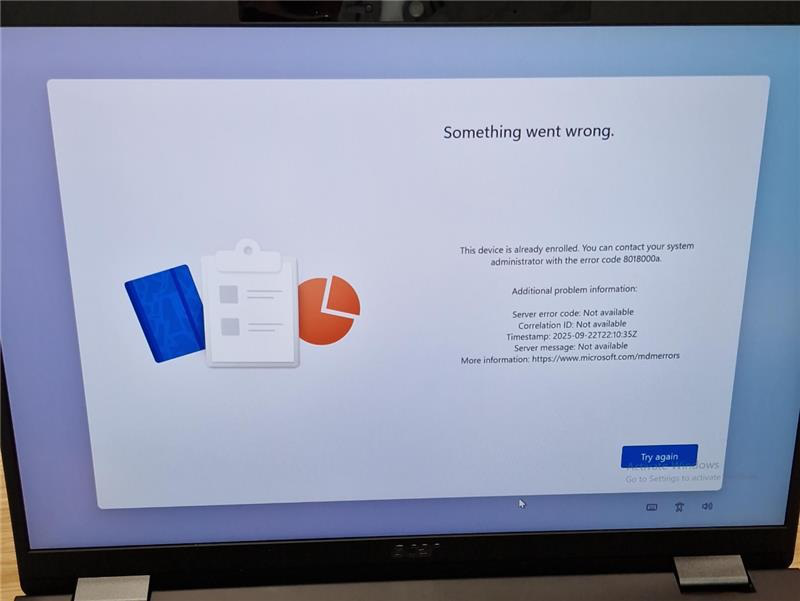 Error code 8018000a — Device Already Enrolled
What made this tricky was the inconsistency — sometimes checking Intune and Entra ID showed the device object present and healthy, other times no record existed at all, yet the same error appeared either way. That inconsistency was the first clue that the enrollment error and the unexpected reboot were two separate problems, not one.
Isolating the Root Cause
The focus shifted to the reboot itself rather than the enrollment error. During Autopilot provisioning, certain policy settings require a reboot when applied. Windows tracks these in a registry key:
HKLM\SOFTWARE\Microsoft\Provisioning\SyncML\RebootRequiredURIs
When the SyncML engine applies a policy whose URI matches this list, it logs Event ID 2800 in the following event log:
Microsoft-Windows-DeviceManagement-Enterprise-Diagnostics-Provider\Admin
Checking Event Viewer on the failed devices showed multiple Event ID 2800 entries — all firing during ESP — with the following URIs triggering reboots:
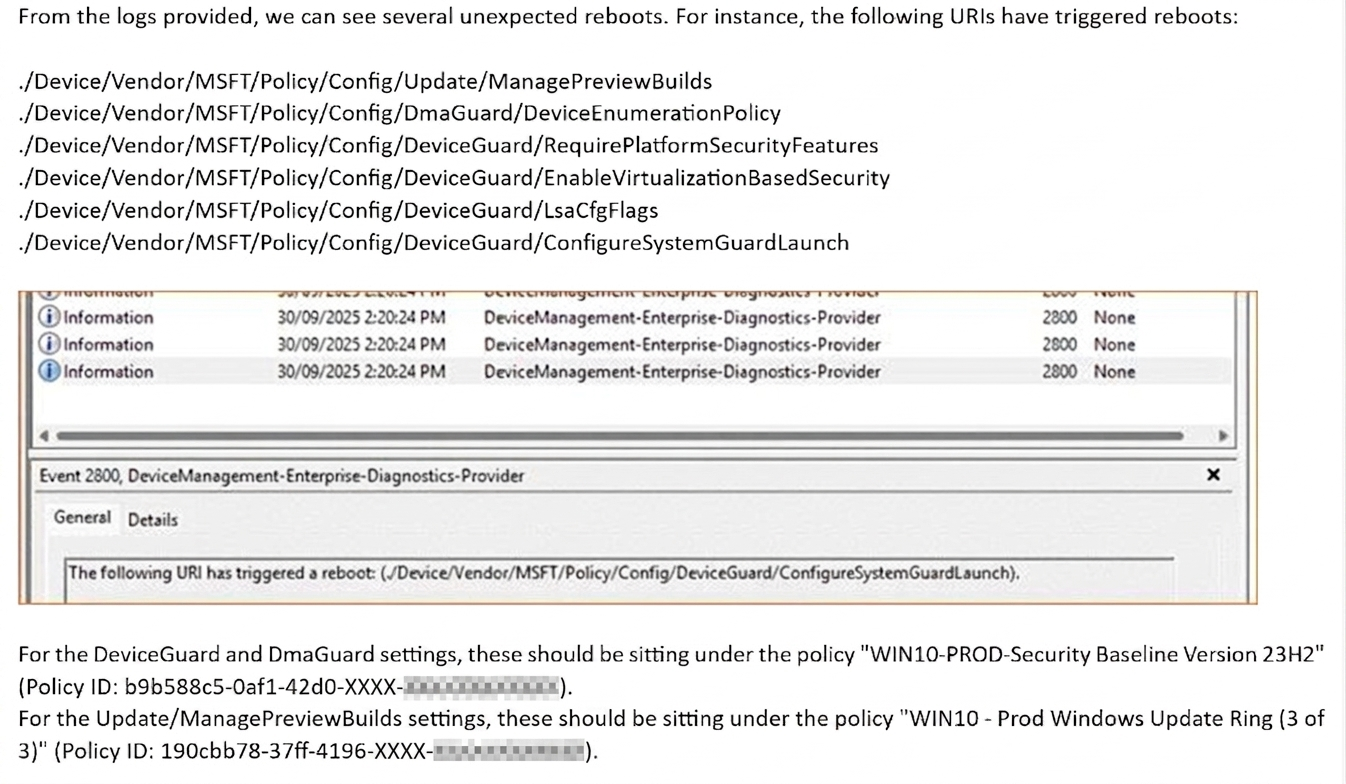 Multiple Event ID 2800 entries showing the URIs responsible for triggering the unexpected reboot
These URIs traced back to two separate Intune policies — the Security Baseline and the Windows Update Ring. Two root causes, two fixes.
Fix 1 — Security Baseline: Reassign From Device to User
The DeviceGuard and DmaGuard URIs were coming from the Security Baseline policy, which was assigned to a device group. When these settings apply to a device during Autopilot before a user has signed in, they trigger a coalesced reboot mid-provisioning.
The fix was straightforward — reassign the Security Baseline from a device group to a user group, filtered to target only the Windows 11 devices built via the Autopilot profile.
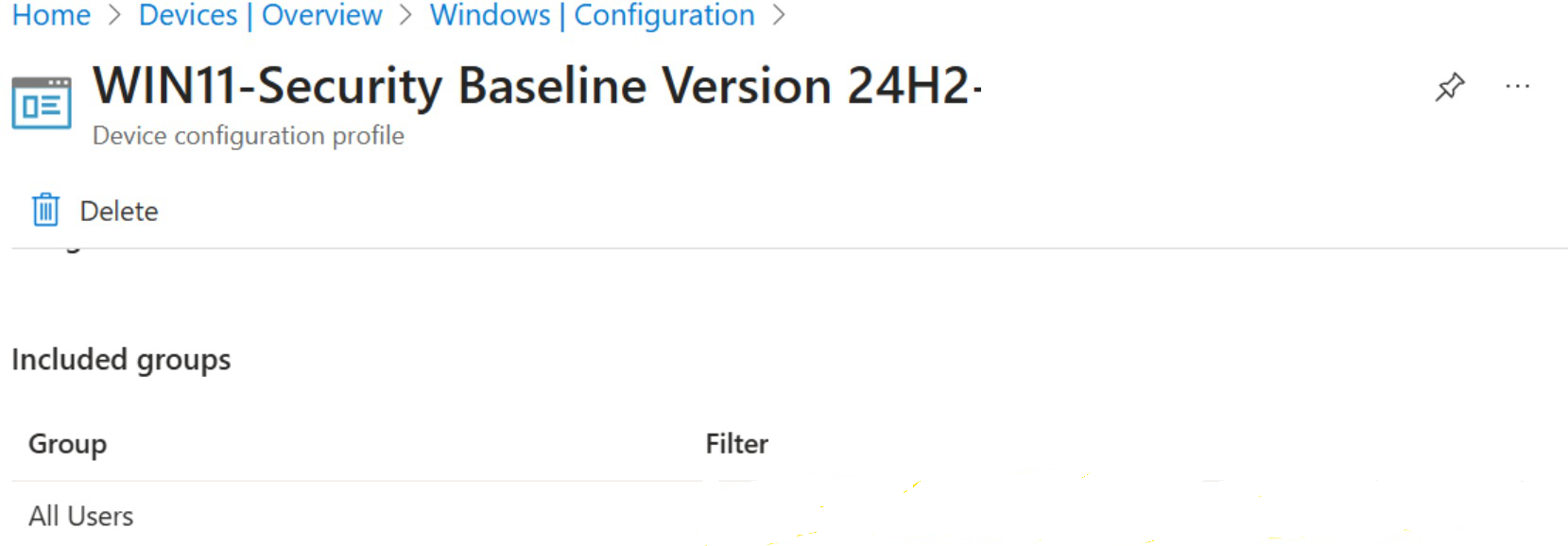 Security Baseline reassigned to All Users with an Autopilot device filter applied
After this change, the DeviceGuard and DmaGuard URIs stopped appearing in Event Viewer during subsequent test builds. Fix 1 confirmed working.
Fix 2 — Windows Update Ring: Create a New Policy
With the Security Baseline fixed, the next test build still rebooted unexpectedly. Checking Event Viewer again showed only one URI still firing — ManagePreviewBuilds:
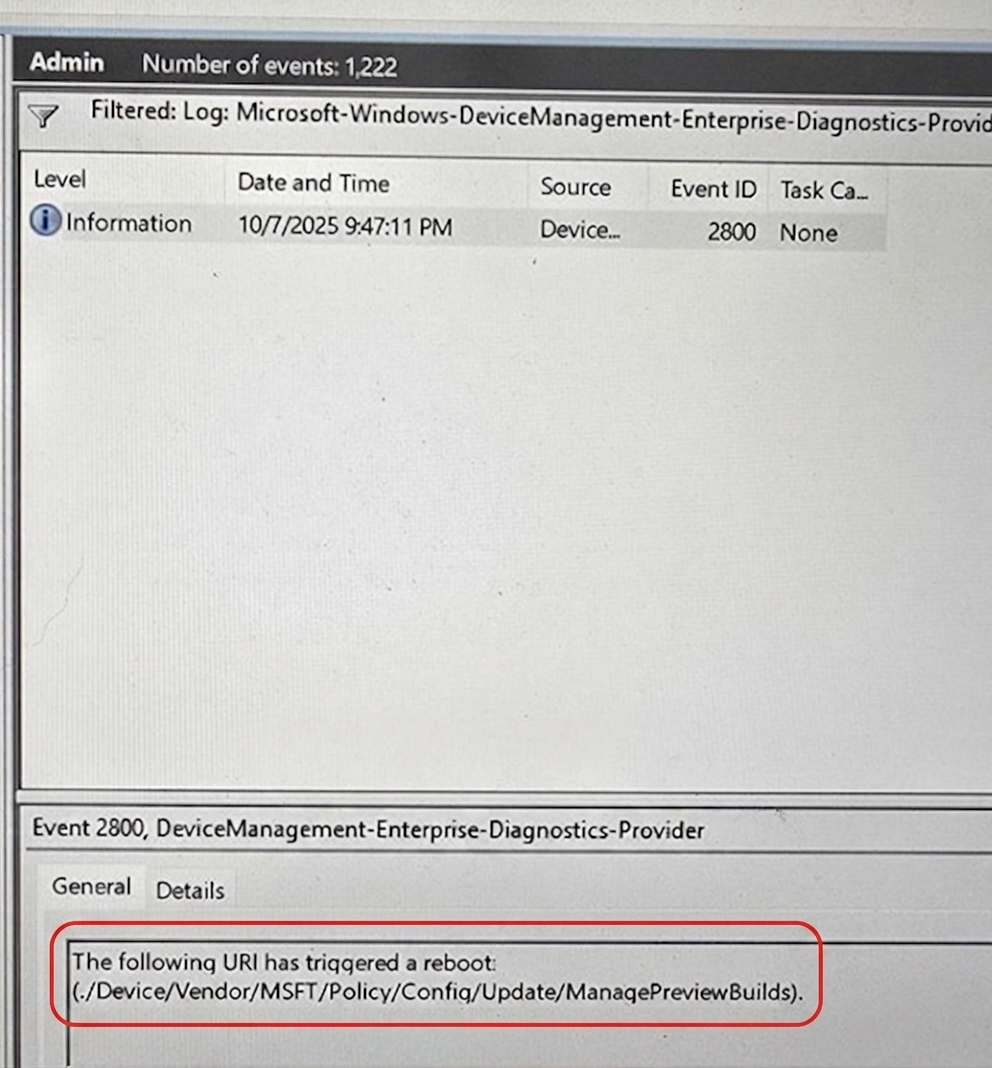 After the Security Baseline fix, ManagePreviewBuilds was the only remaining reboot trigger
This URI comes from the Windows Update Ring policy. The existing Update Ring showed the relevant setting as Not Configured in the console — which should mean it is not doing anything. But it was clearly still delivering something to the device that triggered a reboot.
Reassigning the Update Ring to a user group was not an option here — Windows Update Rings must be assigned to device groups, that is just how they work.
The fix that worked was to retire the existing Update Ring policy and create a brand new one from scratch. Assigning devices to the new policy stopped the reboot immediately.
Why Did a New Policy Fix It?
The existing Update Ring had been in place for a few years. Over time, Microsoft updates what settings are exposed and what defaults apply when you create a new Update Ring policy. An older policy can silently carry configuration state or legacy defaults that the current Intune console no longer surfaces — meaning a setting can look like Not Configured in the UI while still delivering a value to devices via the CSP payload underneath.
This is a known pattern. The fix is not to hunt for the specific stale value — it is to retire the old policy and start fresh. A newly created Update Ring will be built against the current schema with clean defaults.
Summary
| Cause | Policy | Trigger URI | Fix |
|---|---|---|---|
| Security Baseline applied at device level during ESP | Windows Security Baseline | DeviceGuard / DmaGuard settings | Reassign policy from device group to user group |
| Legacy Update Ring carrying stale configuration state | Windows Update Ring | Update/ManagePreviewBuilds | Retire the legacy policy, create and assign a new one |
Key Takeaway
If you are seeing Device Already Enrolled errors during Autopilot re-enrollment, start with Event ID 2800 in the DeviceManagement-Enterprise-Diagnostics-Provider log. That event tells you exactly which policy URI triggered the unexpected reboot — and from there you can work out whether a reassignment or a policy recreation is the right fix.
The reboot and the enrollment error look like the same problem. They are not. Fix the reboot first and the enrollment error goes away with it.